
The next is to map the data points from the Proff API to your data points in Salesforce to make it fit your business needs. You can map data points to Salesforce fields for Account, Contact, and Lead.
How to Configure Mapping:
-
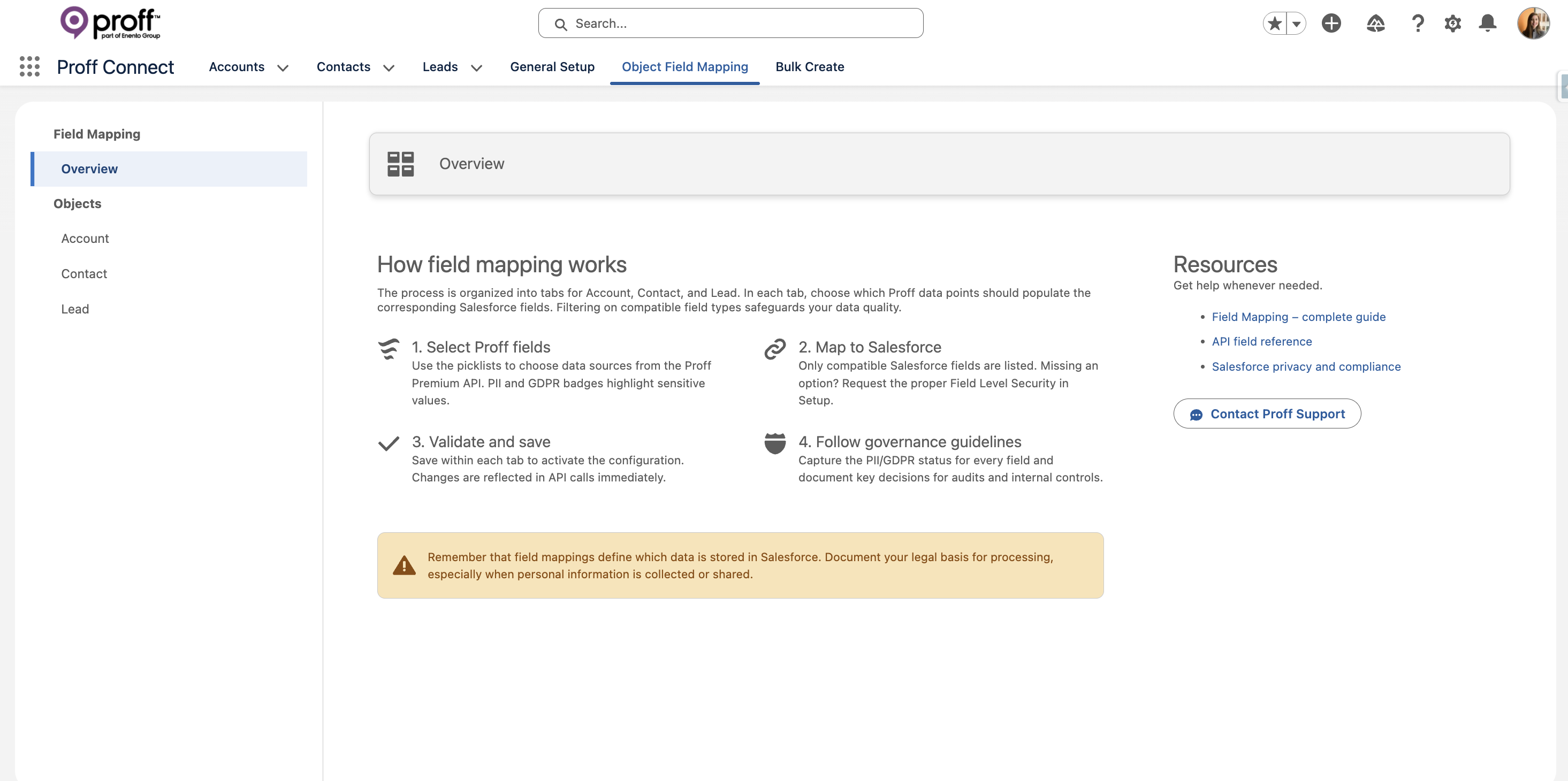
Navigate to the Object Field Mapping tab in the Proff Connect Setup app.
-
Select the desired object from the left-side menu (Account, Contact, or Lead).
-
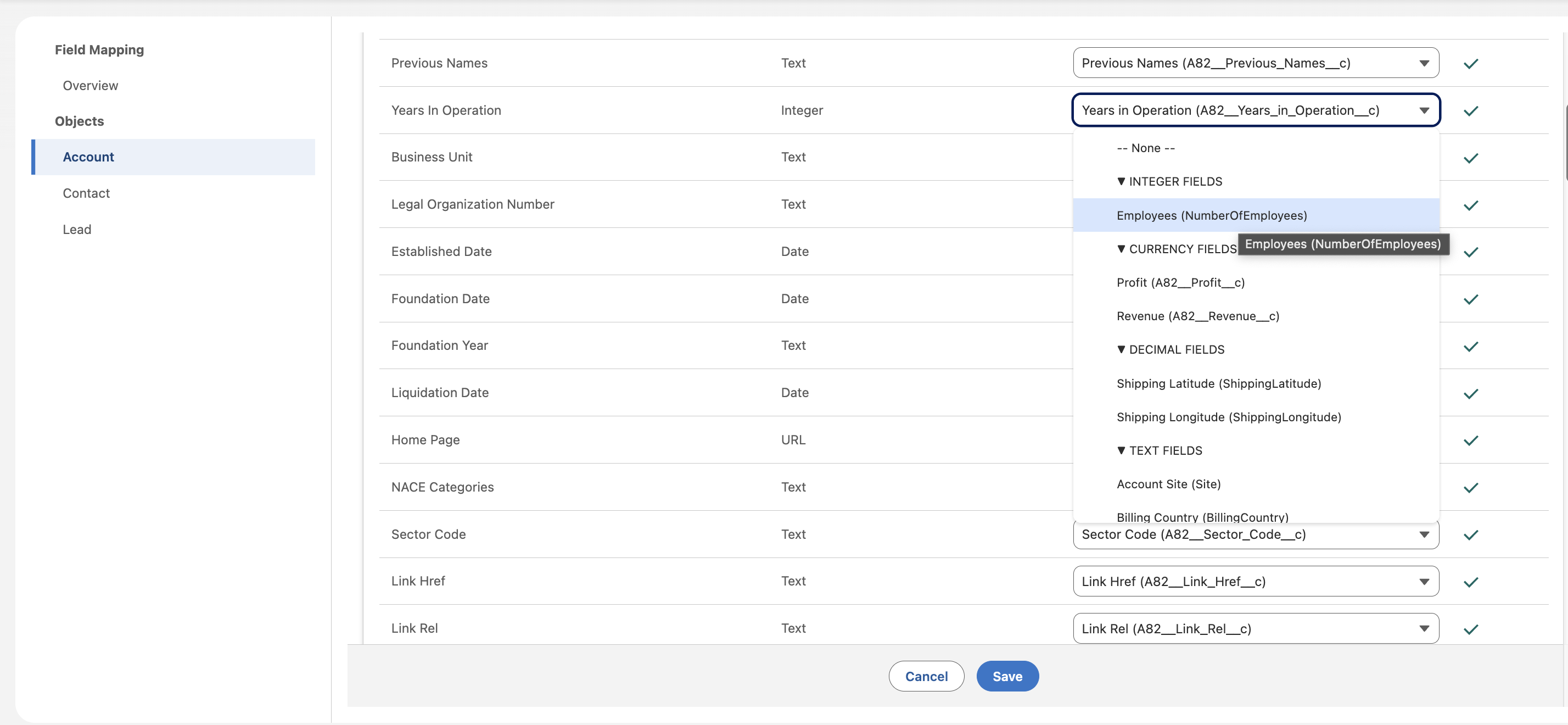
You will see all available Proff data points on the left. On the right, select the corresponding Salesforce field you wish to populate.
-
Note: Only compatible Salesforce fields will be available for selection. For example, a Salesforce Number field cannot be mapped to a Proff Text data point.
-
-
Click Save after configuring your mappings.
-
Repeat this process for each object you plan to use with Proff Connect.
See our guided setup for Object Field Mapping:
Critical Mapping Requirements
To ensure a seamless experience and prevent errors during record creation, please adhere to the following mandatory mapping rules:
1. Salesforce Required Fields
Always ensure that you map Proff data points to all required fields on your Salesforce Account, Contact, and Lead objects. If a field is marked as "Required" in your Salesforce org (either via the field definition or a validation rule), the creation process will fail if that field is left unmapped or empty.
2. Mandatory Proff Data Points
For the integration to successfully retrieve and sync data, specific "key" data points must be mapped. These fields are used by the system to identify the correct record in the Proff database.
|
Object |
Required Mapping for Integration |
|
Account |
Organization Number and Country Code |
|
Contact |
Proff Person ID and Country Code |
|
Lead |
(Organization Number and Country Code) OR (Company Name and Country Code) |
3. Country Code Format
The Country Code is essential for all objects.
-
Format: Data must be mapped to fields that support the ISO 2-letter format.
-
Supported Values:
NO(Norway),SE(Sweden),DK(Denmark), orFI(Finland). -
Your users only have access to countries included in your specific Proff subscription.
Mapping Guidelines for Specific Data Points
Some data points require special consideration when mapping to standard Salesforce fields. The guidelines below describe recommended approaches for commonly used fields.
Address Data
When mapping address-related data points, follow Salesforce’s standard address field structure whenever possible.
Ensure that each component (street, city, postal code, country, etc.) is mapped to the corresponding standard Salesforce address field to maintain data consistency, reporting accuracy, and compatibility with standard Salesforce features.

Company Purpose and NACE Categories
Recommended Salesforce field type:
Long Text Area
Company purpose and NACE category descriptions may contain long or unstructured text. To avoid truncation and ensure full data coverage, these values should be mapped to a Long Text Area field in Salesforce.
Company Phone Numbers
Proff delivers multiple phone number data points.
Recommended approach:
-
Use “Proff Phone Numbers (Recommended)” as the primary source for company phone numbers.